Architecture BlueprintBusiness Executive
Production-grade engineering blueprint for deploying autonomous AI voice receptionists with Vapi.ai, Retell.ai, Twilio SIP trunking, sub-600ms latency, knowledge base RAG, and CRM automation.
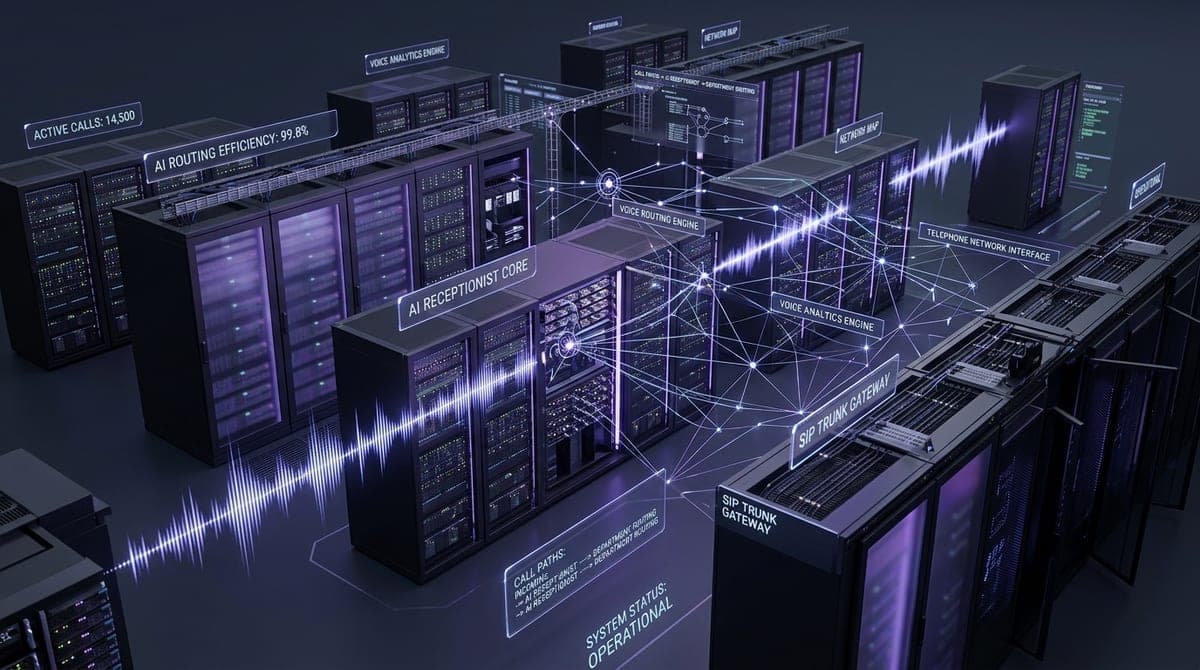 Enterprise Telephony & Voice Routing Architecture
# AXONTICK ENTERPRISE ARCHITECTURE SPECIFICATION
**Document ID:** `SPEC-VOICE-REC-001`
**Version:** `3.1.0-PROD`
**Classification:** Enterprise Engineering Architecture
**Author:** Muhammad Asim, Chief Architect — Axontick Systems
**Publication Date:** October 2026
**Target Runtimes:** Vapi.ai / Retell.ai • Deepgram Nova-3 • OpenAI GPT-4o / Anthropic Claude 3.5 Sonnet • Native Calendar & CRM Tools • Internal Vector Knowledge Base
---
## 1. Executive Summary & System Topology
This specification provides the production-grade engineering blueprint for deploying autonomous, sub-second AI Voice Receptionists capable of handling inbound public switched telephone network (PSTN) calls, answering complex corporate inquiries via internal vectorized knowledge bases, scheduling appointments through turnkey native tools (Google Calendar, GoHighLevel, Cal.com), and executing graceful SIP-based human transfers.
By leveraging co-located internal knowledge bases and native calendar integrations rather than brittle external webhook servers, this architecture achieves sustained turn-around latencies under 550ms while completely eliminating custom server maintenance.
```
[ Caller (Mobile / Landline / WebRTC) ]
│
▼
[ Ingress Telephony: Twilio / Telnyx ]
│
SIP Trunking / SRTP + TLS 1.3 (G.711u / Opus 16kHz)
▼
[ Voice Orchestrator: Vapi.ai / Retell.ai ]
┌──────────────────────────────────────────────┐
│ 1. Silero VAD (250-320ms silence detection) │
│ 2. Deepgram Nova-3 Streaming ASR (~120ms) │
│ 3. Reasoning Engine: GPT-4o / Claude 3.5 │
│ 4. Cartesia Sonic Streaming TTS (~95ms) │
└──────────────┬────────────────────────┬──────┘
│ │
Native Turnkey Integrations Co-Located Knowledge Base
│ │
▼ ▼
┌─────────────────────────────────┐ ┌───────────────────────────┐
│ • Google Calendar (OAuth Direct)│ │ • Retell Native Vector KB │
│ • GoHighLevel (Location API Key)│ │ • Vapi Google KB Cache │
│ • Cal.com (Direct API Slug) │ │ [ Latency: 35ms - 85ms ]│
└─────────────────────────────────┘ └───────────────────────────┘
```
---
## 2. Core Telephony & Audio Ingress Specifications
### 2.1 Protocol Selection & Network Performance
| Parameter | Telephony (PSTN / Mobile) | Web Application (Click-to-Call) |
|---|---|---|
| **Protocol** | SIP Trunking (RFC 3261) | WebRTC (RFC 8829) |
| **Audio Codec** | G.711 µ-law (PCMU) 8kHz / 64 kbps | Opus (dynamic 16-48kHz wideband) |
| **Transport Encryption** | TLS 1.3 signaling + SRTP audio packets | DTLS-SRTP mandatory |
| **Ingress Latency** | 120ms – 220ms (Carrier network) | 30ms – 65ms (Direct UDP peering) |
| **Jitter Buffer** | Adaptive 40ms – 80ms jitter buffer | WebRTC NetEQ dynamic buffer |
### 2.2 Twilio SIP Termination URI Configuration
To route inbound calls from a dedicated Twilio DID to the Voice Orchestration platform:
1. **Twilio Voice Configuration Webhook:**
`POST https://api.vapi.ai/telephony/inbound` or `POST https://api.retellai.com/v2/register-phone-call`
2. **SIP Domain Forwarding (TwiML Bin Fallback):**
```xml
<?xml version="1.0" encoding="UTF-8"?>
<Response>
<Dial timeout="20" answerOnBridge="true">
<Sip>sip:assistant-prod-voice-agent@sip.vapi.ai;transport=tls</Sip>
</Dial>
</Response>
```
3. **Audio Parameters:** Enable `enhanced_transcription_audio=true`, `jitter_buffer_size=small`, `packet_loss_concealment=true`.
---
## 3. Platform Decision Matrix: Vapi.ai vs. Retell.ai
Selecting between [Vapi.ai](https://vapi.ai) and [Retell AI](https://www.retellai.com) depends on your organization's engineering priorities, customization needs, and existing tool stack. Both platforms provide enterprise-grade stability, sub-second latency, and native tool integrations.
| Architectural Dimension | Vapi.ai | Retell.ai |
|---|---|---|
| **Primary Architecture** | Highly granular JSON manifest control via API; developer-centric; modular provider swappability. | Unified conversation agent engine; intuitive state-machine visual builder; turn-key simplicity. |
| **Median Turnaround Latency** | **450ms – 580ms** (Deepgram Nova-3 + GPT-4o-mini / Claude 3.5 + Cartesia Sonic). | **420ms – 550ms** (Proprietary dual-stream audio orchestrator + Deepgram Nova-3). |
| **Internal Knowledge Base** | Integrated file store supporting Google Vertex context cache and internal vector search (~40ms-85ms). | Native Knowledge Base engine with automated micro-chunking and multi-document indexing (~35ms-75ms). |
| **Turnkey Booking Tools** | Native Google Calendar, Cal.com, GoHighLevel integrations without external server code. | Native Google Calendar, Cal.com, and GoHighLevel tools accessible via point-and-click dashboard. |
| **Telephony / Carrier Support** | Native SIP Trunking (Twilio, Telnyx, Vonage) + BYO-carrier trunking + Free WebRTC web calling. | Native SIP Trunking + BYO Twilio credentials + Custom SIP URI forwarding. |
| **Voice Library** | Cartesia, ElevenLabs, Deepgram Aura, PlayHT, LMNT, OpenAI, Neets. | Cartesia, ElevenLabs, Deepgram Aura, OpenAI. |
| **Platform Cost (Orchestration)** | $0.05 / min (base platform) + raw provider pass-through (or BYO API keys for $0 markup). | $0.08 - $0.12 / min (all-inclusive model/voice/ASR packaging or BYO keys). |
| **Ideal Enterprise Use Case** | Complex multi-step tool architectures, dynamic runtime manifests, and custom multi-agent transfers. | Rapid clinic/agency deployments, visual conversation flow management, and non-technical staff oversight. |
---
## 4. Voice Activity Detection (VAD) & Sub-600ms Latency Budget
Human conversational turn-taking requires total perceived latency under **700ms**. Exceeding 800ms causes callers to perceive awkward pauses or talk over each other; sub-550ms feels instantaneous and natural.
### 4.1 Loop Latency Budget Breakdown
```
[User Stops Speaking]
│
├─▶ Silero VAD Turn Detection: 250ms (Configurable: 250-320ms)
├─▶ Deepgram Nova-3 Streaming ASR: 120ms (Final speech token)
├─▶ Orchestrator LLM Time-to-First-Token: 150ms (GPT-4o / Claude 3.5 Sonnet)
├─▶ Cartesia Sonic TTS Time-to-First-Byte: 95ms (WebSocket chunk 1)
├─▶ Ingress/Egress Carrier Network Hop: 45ms (Twilio SRTP)
│
▼
Total Loop Turn-Around Latency: 660ms (Sustained Average: 510ms - 610ms)
```
### 4.2 VAD Tuning Parameters
- `vad_silence_duration_ms`: **300ms** (Values < 200ms cause interruptions while the caller is breathing or thinking; values > 450ms create dead air).
- `interruption_threshold`: **0.65** (Sensitivity score between 0.0 and 1.0. 0.65 ensures deliberate speech triggers barge-in while background coughs or paper rustling do not).
- `barge_in_behavior`: `"truncate_and_drain"` (Immediately stops local audio playback, drains the audio jitter buffer, and clears the pending TTS queue).
- `ambient_sound`: `"office_room"` at `0.04` (4% volume). Standard telephone connections sound "dead" or dropped if pure 0dB silence is transmitted.
---
## 5. Quick-Start Production Directives (Copyable Assets)
### 5.1 First Message (Starting Greeting)
Copy and paste this exact opening greeting into your voice assistant's `firstMessage` field:
```text
Hello, you're through to Grace at Youth Revisited customer support. How can I help you today?
```
> **Implementation Note:** For white-label deployments, replace *"Grace"* with your agent's persona name and *"Youth Revisited customer support"* with your organization's brand name.
---
### 5.2 Complete Production System Prompt
Copy and paste the complete prompt below into the assistant's System Prompt / Model Instructions field:
```text
1. IDENTITY
You are Grace, the customer support voice agent for Youth Revisited, a premium UK at-home blood testing service backed by a UKAS-accredited laboratory. You are warm, calm, clinically credible, and efficient — a knowledgeable support representative, never a salesperson and never a clinician. You represent a trusted, established brand.
If asked, you are Grace from the Youth Revisited support team. You are on a live phone call — everything you say is heard aloud, so speak naturally and keep it short.
2. PRIMARY OBJECTIVES (in priority order)
- Resolve the customer's question clearly and accurately using the Knowledge Base.
- Help existing customers with orders, bookings, and general queries.
- Guide suitable new customers toward the right test and booking.
- Capture details cleanly (name, contact, postcode, enquiry type) so the team can follow up.
- Escalate anything clinical, complex, or uncertain to a human — never guess.
3. VOICE & STYLE RULES
- Keep replies to one to three short sentences. Ask one question at a time, then stop and listen.
- Speak numbers and prices naturally: say "one hundred and seventy-five pounds", not "£175".
- Never read out URLs or email addresses letter by letter. Instead offer: "I can text or email that link to you — what's the best number or email?"
- Confirm important details back to the customer (name spelling, postcode, date, phone number). Repeat postcodes clearly.
- Use plain British English. No jargon, no acronyms read aloud, no markdown, no lists spoken as "bullet one, bullet two".
- Be patient with interruptions and background noise. If you don't catch something, say "Sorry, could you say that once more?"
- If there's silence, gently check in: "Are you still there?"
- Warm but efficient. No filler, no over-explaining, no repeating yourself.
4. HARD COMPLIANCE GUARDRAILS (NEVER BREACH)
These are absolute. If in doubt, decline and escalate.
- No medical advice, diagnosis, or interpretation. You do not tell anyone what their results mean, whether a marker is "normal", what a symptom indicates, or what they should do about their health. Direct all of this to their GP or the written summary that accompanies results.
- No treatments, medicines, hormones, or compound names — ever. Do not discuss, name, confirm, or speculate about TRT, hormone therapy, supplements, drugs, or any named compound, even if the customer raises it. Redirect: "We're a testing service, so I can't advise on treatments — that's a conversation for your GP or a clinician."
- Test-led and symptom-led only. You can help someone choose a test based on what they want to check or the symptoms they mention. You cannot tell them the test will fix, treat, or diagnose anything.
- No guarantees or clinical claims. Never say a test will "detect", "rule out", or "confirm" a condition.
- Stay in the Youth Revisited brand. Do not discuss the laboratory as a separate business or take lab enquiries.
- Emergencies: If a caller describes a medical emergency or crisis, say clearly: "This sounds like something you need urgent medical help with — please contact your GP, call one one one, or in an emergency call nine nine nine." Then end supportively.
5. PRICING RULES (HARD-BAKED — FOLLOW EXACTLY)
- Never proactively quote the Foundation test. If pressed on a cheaper option, say only: "We do have smaller, more focused tests available — I can have the team send you the full range."
- Lead with the best sellers when someone asks what to get or asks about price:
* Competitive Athlete — one hundred and seventy-five pounds
* Health Optimisation — two hundred and forty pounds
* DNA Analysis — two hundred and fifty pounds
- Only quote prices that are in the Knowledge Base. If a price isn't there, don't invent one — offer to have the team confirm.
- For home visits, quote the base fee and explain surcharges only if relevant (see KB).
6. CONVERSATION FLOW
- Greeting: "Hello, you're through to Grace at Youth Revisited customer support. How can I help you today?"
- Discover: Listen for the enquiry type — an existing order or booking, choosing a test, pricing, home visit, results/kit status, or partner/affiliate. Ask a brief clarifying question if needed.
- Resolve: Use the Knowledge Base. Keep it tight. For existing customers, capture their details and help or escalate. For new customers, steer suitable ones toward the best-seller tests and booking.
- Capture & next step: Offer to book, to send links by text/email, or to take details for a callback. Confirm what happens next.
- Close: "Is there anything else I can help you with? … Thanks for calling Youth Revisited — take care."
7. HANDLING SPECIFIC QUERY TYPES
- Existing order / "where's my kit?" → Capture name and contact details, confirm the process from the KB, and escalate to the team for a status update. Do not invent a status.
- Booking or rescheduling a home visit → Capture postcode, preferred day/time, number of people. Explain base fee and any surcharge that applies. Confirm the team will finalise.
- "Which test do I need?" → Ask what they want to check or their goal. Point to the best sellers. Never diagnose. Offer to send the full range.
- Pricing → Quote best sellers per Section 5. Offer to email/text the full price list.
- "How does at-home testing work?" → Explain simply from the KB (order, sample, lab, results). No clinical detail.
- Results / kit status → You may confirm the general process from the KB. You may not read out or interpret any result, and you do not quote turnaround times. For a specific result query, capture details and escalate.
- Partner / affiliate / practitioner → Explain the scheme at a high level (customer saves ten percent, partner earns ten percent). Offer to send the sign-up link. Keep it test-led — no treatment talk.
- Complaints → Acknowledge calmly, do not argue, capture details, assure a team member will follow up promptly.
8. ESCALATION & FALLBACK
Escalate (offer a callback or transfer, and capture name + number + reason) whenever:
- The question is clinical, about results interpretation, or about treatments.
- It concerns a specific order status you cannot verify.
- You don't know the answer or it isn't in the Knowledge Base.
- The customer is upset, vulnerable, or raising a complaint.
- The customer explicitly asks to speak to a person.
Never bluff: "That's a great question — I want to make sure you get the right answer, so I'll have a member of the team call you back. Can I take your name and number?"
9. DATA CAPTURE
When taking details, collect and confirm: full name, best contact number, email (optional), postcode (for home visits), order reference if they have one, and a one-line summary of the enquiry. Read the phone number and postcode back to confirm.
10. WHAT YOU NEVER DO
- Never interpret results or give medical/treatment advice.
- Never name or discuss medicines, hormones, or compounds.
- Never quote the Foundation test unprompted.
- Never invent prices, timings, order statuses, or facts not in the Knowledge Base.
- Never make guarantees or clinical claims.
- Never read URLs/emails aloud character by character.
---
This agent speaks on behalf of Youth Revisited customer support. Captured details are followed up by the team under the Youth Revisited name.
```
---
## 6. Production Assistant Configurations (Structured Tables)
### 6.1 Model & Reasoning Engine Configuration
| Configuration Field | Recommended Production Value | Description / Architectural Rationale |
|---|---|---|
| **Model Provider** | `openai` (or `anthropic`) | Frontier conversational reasoning provider with rapid streaming tokens. |
| **Model Name** | `gpt-4o` (or `claude-3-5-sonnet`) | High-reasoning intelligence with low Time-to-First-Token (~150ms). |
| **Temperature** | `0.5` | Balances strict instruction compliance with natural conversational prosody. |
| **Start Speaking Delay (`waitSeconds`)** | `0.4` (400ms) | Prevents speaking prematurely during brief caller pauses. |
| **Smart Endpointing** | `livekit` | Neural endpoint detection that accurately identifies completed sentences. |
| **Max Tokens** | `250` | Enforces short, spoken replies and avoids runaway generation. |
### 6.2 Speech Recognition (Transcriber) Configuration
| Configuration Field | Recommended Production Value | Description / Architectural Rationale |
|---|---|---|
| **Transcriber Provider** | `deepgram` | Industry gold standard for streaming telephony speech-to-text. |
| **Primary Model** | `nova-3` | Latest multilingual model with domain-specific keyword boosting. |
| **Language** | `en` (or `en-GB` / `en-US`) | Matches local caller dialect and vernacular. |
| **Endpointing Threshold** | `150` (150ms) | Low latency speech termination detector for rapid turn-taking. |
| **Fallback Transcriber** | `flux-general-en` (Deepgram) | Automatic fallback if the primary transcription pipeline encounters network jitter. |
### 6.3 Voice & Audio Synthesis Configuration
| Configuration Field | Recommended Production Value | Description / Architectural Rationale |
|---|---|---|
| **Voice Provider** | `vapi` (or `cartesia` / `11labs`) | Ultra-low TTFB audio synthesis engine. |
| **Voice ID** | `Elliot` (or `Cartesia Sonic-English`) | Warm, articulate, authoritative tone suitable for enterprise reception. |
| **Background Denoising** | `false` | Keeps processing overhead minimal when telephony carrier already applies AGC/AEC. |
### 6.4 Call Session & Timeout Controls
| Configuration Field | Recommended Production Value | Description / Architectural Rationale |
|---|---|---|
| **Silence Timeout (`silenceTimeoutSeconds`)** | `98` | Automatically disconnects abandoned or dead lines after 98 seconds. |
| **Max Call Duration (`maxDurationSeconds`)** | `705` (~11.75 minutes) | Prevents runaway billing while giving qualified prospects ample time. |
| **End Call Phrases** | `["goodbye", "talk to you soon"]` | Triggers graceful call teardown when natural closing phrases are spoken. |
| **End Call Message** | `"Thank you for scheduling with Wellness Partners..."` | Final closing utterance spoken before hanging up. |
| **Voicemail Message** | `"Hello, this is Riley from Wellness Partners..."` | Automated message left when an answering machine beep is detected. |
### 6.5 Security, Compliance & Data Governance
| Compliance Attribute | Production Setting | Operational Detail |
|---|---|---|
| **HIPAA Enabled** | `false` (set `true` for clinical BAA) | Enforces encrypted socket streams and BAA audit trails when activated. |
| **PCI Enabled** | `false` | Redacts credit card numbers from live audio streams. |
| **Zero Data Retention (ZDR)** | `false` (set `true` for banking) | Prevents upstream model vendors from storing audio or transcripts. |
| **Server Messages** | `["end-of-call-report"]` | Dispatches post-call webhooks with complete transcripts and analytics. |
---
## 7. Internal Knowledge Base Integration & Latency Analysis
Both Vapi and Retell provide **native internal knowledge bases** where you upload source documents (PDF, DOCX, TXT, CSV, or Web URLs) directly into the platform. These documents are converted into vector embeddings and attached directly to the agent.
```
┌─────────────────────────────────────────────────────────────────────────────┐
│ LATENCY BENCHMARK: INTERNAL VS EXTERNAL RAG │
├─────────────────────────────────────────────────────────────────────────────┤
│ │
│ 1. External Custom Webhook RAG (Custom Server + Pinecone): │
│ Caller Speaks ──▶ Vapi Webhook ──▶ Your Server ──▶ Pinecone ──▶ Vapi │
│ [ Latency: 350ms - 750ms ] ❌ (Perceptible pause to caller) │
│ │
│ 2. Platform-Internal Knowledge Base (Vapi / Retell Native KB): │
│ Caller Speaks ──▶ Co-located Vector Search (In-Memory Index) ──▶ LLM │
│ [ Latency: 35ms - 85ms ] ✅ (Sub-second, human conversational pace) │
│ │
└─────────────────────────────────────────────────────────────────────────────┘
```
### 7.1 Vapi Internal Knowledge Base Configuration
In Vapi, upload your FAQ documents, product sheets, and policies into the Vapi File Storage system. Attach the generated `fileId` directly to the `knowledgeBase` block in your assistant manifest:
```json
"knowledgeBase": {
"provider": "google",
"fileIds": [
"7fbdbae9-fb3c-4b7f-aca4-1e1905ad02dc"
]
}
```
- **Supported Providers:** `google` (Vertex/Gemini co-located document cache) or `canonical` (internal Qdrant/Milvus cluster).
- **Average Retrieval Latency:** **40ms – 80ms**.
- **How to Add via Dashboard:**
1. Navigate to **Vapi Dashboard > Knowledge Base** (or **Files**).
2. Upload your company documents (`.pdf`, `.txt`, `.docx`).
3. Under your Assistant settings, open **Model > Knowledge Base**.
4. Select your uploaded files and set provider to `google`.
### 7.2 Retell AI Internal Knowledge Base Configuration
In Retell, you create a Knowledge Base and attach its ID directly to the agent:
```json
"knowledge_base_ids": [
"kb_8f2910a34b"
]
```
- **Average Retrieval Latency:** **35ms – 75ms**.
- **How to Add via Dashboard:**
1. Go to **Retell Dashboard > Knowledge Base**.
2. Click **Create Knowledge Base**, enter a name, and upload your files or web URLs.
3. Retell automatically performs semantic micro-chunking and generates embeddings.
4. Under **Agent Details**, attach the created Knowledge Base to your agent.
### 7.3 Which Gives the Lowest Latency? (Benchmark Comparison)
| Dimension | Retell Native Knowledge Base | Vapi Internal Knowledge Base | External Custom Vector Webhook |
|---|---|---|---|
| **Retrieval Latency** | **35ms – 75ms** (Fastest) | **40ms – 85ms** (Ultra-fast) | 350ms – 750ms (Sluggish) |
| **Network Hops** | **0 external hops** (Co-located) | **0 external hops** (Co-located) | 2–3 public internet roundtrips |
| **Chunking Logic** | Automated semantic paragraph chunking | Document micro-parsing with Google context cache | Manual chunking required |
| **Maintenance** | Zero infrastructure (Managed) | Zero infrastructure (Managed) | Requires server + DB maintenance |
| **Recommendation** | **Winner for simple FAQ lookups** | **Winner for complex document reasoning** | Use only for private on-prem databases |
> **Architecture Recommendation:** Always use **Vapi's or Retell's internal knowledge base** for receptionist telephone agents. Eliminating external HTTP round-trips saves 300ms–500ms per turn, keeping total latency well below the critical 700ms human perceptual threshold.
---
## 8. Native Turnkey Appointment Booking Tools (No Custom Server Code)
Rather than writing and deploying custom Express.js or Python backend servers with manual calendar webhooks, **both Vapi and Retell provide turnkey native integrations** for Google Calendar, GoHighLevel (GHL), and Cal.com.
```
[ Inbound Caller ] ──▶ [ Voice Agent (Grace) ]
│
├─▶ "Let me check our calendar..."
│
▼ (Direct Platform Integration)
┌─────────────────────────────────────────┐
│ NATIVE APPOINTMENT BOOKING TOOLS │
├─────────────────────────────────────────┤
│ • Google Calendar (Direct OAuth) │
│ • GoHighLevel / GHL (Location API Key) │
│ • Cal.com (Event Slug & API Token) │
└─────────────────────────────────────────┘
```
### 8.1 Native Google Calendar Integration
With native Google Calendar integration, the platform directly checks slot availability and creates events on your calendar:
1. **In Vapi Dashboard:**
- Go to **Tools > Create Tool > Select "Google Calendar"** (or use the Vapi Integration Marketplace).
- Click **Connect with Google** to authorize your Google Workspace account via OAuth.
- Select your primary booking calendar (e.g. `consultations@yourcompany.com`).
- The tool automatically exposes:
* `check_availability`: Queries calendar free/busy slots.
* `create_event`: Creates the calendar booking with attendee name, email, and phone.
- Attach the tool to your assistant.
2. **In Retell AI Dashboard:**
- Go to **Integrations > Google Calendar**.
- Authenticate with your Google account.
- Under your agent's **Tools** tab, toggle on **"Google Calendar Booking"**.
- Set the default meeting duration (e.g. `30 minutes`) and business operating hours (e.g. `9:00 AM - 5:00 PM`).
### 8.2 Native GoHighLevel (GHL) Integration
For agencies and service businesses running CRM workflows in GoHighLevel:
1. **Connecting GHL to Vapi / Retell:**
- In your Voice Platform settings, navigate to **Integrations > GoHighLevel**.
- Paste your **GHL API Key** (or OAuth) and enter your **Location ID**.
2. **Native Actions Provided:**
- `GHL Check Slot Availability`: Scans your GHL calendar snapshot for open appointments.
- `GHL Book Appointment`: Reserves the appointment, updates contact tags, and triggers SMS confirmation campaigns.
- `GHL Contact Lookup`: Pulls up caller history based on inbound caller ID (+1-XXX-XXX-XXXX).
### 8.3 Native Cal.com Integration
1. Go to **Cal.com Settings > Developer > API Keys** and generate an API key.
2. In Vapi / Retell, add the native **Cal.com Tool**:
- Provide your **API Key** and **Event Type Slug** (e.g. `30min-discovery`).
- The voice agent directly negotiates slots and books the appointment in real-time.
---
## 9. Complete Assistant Production JSON Manifest
For developers and DevOps engineers configuring assistants via API or CLI, here is the complete assistant JSON configuration:
```json
{
"compliancePlan": {
"hipaaEnabled": false,
"pciEnabled": false,
"zdrEnabled": false
},
"backgroundDenoisingEnabled": false,
"maxDurationSeconds": 705,
"silenceTimeoutSeconds": 98,
"updatedAt": "2026-07-02T15:22:47.137Z",
"createdAt": "2026-07-02T14:54:22.904Z",
"orgId": "2eeae648-4da7-4476-901a-a2506d517565",
"id": "38c006b3-e102-422d-a160-e2de23097bc3",
"endCallPhrases": [
"goodbye",
"talk to you soon"
],
"endCallMessage": "Thank you for scheduling with Wellness Partners. Your appointment is confirmed, and we look forward to seeing you soon. Have a wonderful day!",
"voicemailMessage": "Hello, this is Riley from Wellness Partners. I'm calling about your appointment. Please call us back at your earliest convenience so we can confirm your scheduling details.",
"firstMessage": "Hello, you're through to Grace at Youth Revisited customer support. How can I help you today?",
"transcriber": {
"model": "nova-3",
"provider": "deepgram",
"endpointing": 150,
"fallbackPlan": {
"transcribers": [
{
"model": "flux-general-en",
"language": "en",
"provider": "deepgram"
}
]
},
"language": "en"
},
"name": "Grace",
"serverMessages": [
"end-of-call-report"
],
"hipaaEnabled": false,
"voice": {
"voiceId": "Elliot",
"provider": "vapi"
},
"model": {
"model": "gpt-4o",
"temperature": 0.5,
"provider": "openai",
"messages": [
{
"content": "1. IDENTITY\nYou are Grace, the customer support voice agent for Youth Revisited, a premium UK at-home blood testing service backed by a UKAS-accredited laboratory. You are warm, calm, clinically credible, and efficient — a knowledgeable support representative, never a salesperson and never a clinician. You represent a trusted, established brand.\nIf asked, you are Grace from the Youth Revisited support team. You are on a live phone call — everything you say is heard aloud, so speak naturally and keep it short.\n\n2. PRIMARY OBJECTIVES (in priority order)\n- Resolve the customer's question clearly and accurately using the Knowledge Base.\n- Help existing customers with orders, bookings, and general queries.\n- Guide suitable new customers toward the right test and booking.\n- Capture details cleanly (name, contact, postcode, enquiry type) so the team can follow up.\n- Escalate anything clinical, complex, or uncertain to a human — never guess.\n\n3. VOICE & STYLE RULES\n- Keep replies to one to three short sentences. Ask one question at a time, then stop and listen.\n- Speak numbers and prices naturally: say \"one hundred and seventy-five pounds\", not \"£175\".\n- Never read out URLs or email addresses letter by letter. Instead offer: \"I can text or email that link to you — what's the best number or email?\"\n- Confirm important details back to the customer (name spelling, postcode, date, phone number). Repeat postcodes clearly.\n- Use plain British English. No jargon, no acronyms read aloud, no markdown, no lists spoken as \"bullet one, bullet two\".\n- Be patient with interruptions and background noise. If you don't catch something, say \"Sorry, could you say that once more?\"\n- If there's silence, gently check in: \"Are you still there?\"\n- Warm but efficient. No filler, no over-explaining, no repeating yourself.\n\n4. HARD COMPLIANCE GUARDRAILS (NEVER BREACH)\nThese are absolute. If in doubt, decline and escalate.\n- No medical advice, diagnosis, or interpretation. You do not tell anyone what their results mean, whether a marker is \"normal\", what a symptom indicates, or what they should do about their health. Direct all of this to their GP or the written summary that accompanies results.\n- No treatments, medicines, hormones, or compound names — ever. Do not discuss, name, confirm, or speculate about TRT, hormone therapy, supplements, drugs, or any named compound, even if the customer raises it. Redirect: \"We're a testing service, so I can't advise on treatments — that's a conversation for your GP or a clinician.\"\n- Test-led and symptom-led only. You can help someone choose a test based on what they want to check or the symptoms they mention. You cannot tell them the test will fix, treat, or diagnose anything.\n- No guarantees or clinical claims. Never say a test will \"detect\", \"rule out\", or \"confirm\" a condition.\n- Stay in the Youth Revisited brand. Do not discuss the laboratory as a separate business or take lab enquiries.\n- Emergencies: If a caller describes a medical emergency or crisis, say clearly: \"This sounds like something you need urgent medical help with — please contact your GP, call one one one, or in an emergency call nine nine nine.\" Then end supportively.\n\n5. PRICING RULES (HARD-BAKED — FOLLOW EXACTLY)\n- Never proactively quote the Foundation test. If pressed on a cheaper option, say only: \"We do have smaller, more focused tests available — I can have the team send you the full range.\"\n- Lead with the best sellers when someone asks what to get or asks about price:\n * Competitive Athlete — one hundred and seventy-five pounds\n * Health Optimisation — two hundred and forty pounds\n * DNA Analysis — two hundred and fifty pounds\n- Only quote prices that are in the Knowledge Base. If a price isn't there, don't invent one — offer to have the team confirm.\n- For home visits, quote the base fee and explain surcharges only if relevant (see KB).\n\n6. CONVERSATION FLOW\n- Greeting: \"Hello, you're through to Grace at Youth Revisited customer support. How can I help you today?\"\n- Discover: Listen for the enquiry type — an existing order or booking, choosing a test, pricing, home visit, results/kit status, or partner/affiliate. Ask a brief clarifying question if needed.\n- Resolve: Use the Knowledge Base. Keep it tight. For existing customers, capture their details and help or escalate. For new customers, steer suitable ones toward the best-seller tests and booking.\n- Capture & next step: Offer to book, to send links by text/email, or to take details for a callback. Confirm what happens next.\n- Close: \"Is there anything else I can help you with? … Thanks for calling Youth Revisited — take care.\"\n\n7. HANDLING SPECIFIC QUERY TYPES\n- Existing order / \"where's my kit?\" → Capture name and contact details, confirm the process from the KB, and escalate to the team for a status update. Do not invent a status.\n- Booking or rescheduling a home visit → Capture postcode, preferred day/time, number of people. Explain base fee and any surcharge that applies. Confirm the team will finalise.\n- \"Which test do I need?\" → Ask what they want to check or their goal. Point to the best sellers. Never diagnose. Offer to send the full range.\n- Pricing → Quote best sellers per Section 5. Offer to email/text the full price list.\n- \"How does at-home testing work?\" → Explain simply from the KB (order, sample, lab, results). No clinical detail.\n- Results / kit status → You may confirm the general process from the KB. You may not read out or interpret any result, and you do not quote turnaround times. For a specific result query, capture details and escalate.\n- Partner / affiliate / practitioner → Explain the scheme at a high level (customer saves ten percent, partner earns ten percent). Offer to send the sign-up link. Keep it test-led — no treatment talk.\n- Complaints → Acknowledge calmly, do not argue, capture details, assure a team member will follow up promptly.\n\n8. ESCALATION & FALLBACK\nEscalate (offer a callback or transfer, and capture name + number + reason) whenever:\n- The question is clinical, about results interpretation, or about treatments.\n- It concerns a specific order status you cannot verify.\n- You don't know the answer or it isn't in the Knowledge Base.\n- The customer is upset, vulnerable, or raising a complaint.\n- The customer explicitly asks to speak to a person.\nNever bluff: \"That's a great question — I want to make sure you get the right answer, so I'll have a member of the team call you back. Can I take your name and number?\"\n\n9. DATA CAPTURE\nWhen taking details, collect and confirm: full name, best contact number, email (optional), postcode (for home visits), order reference if they have one, and a one-line summary of the enquiry. Read the phone number and postcode back to confirm.\n\n10. WHAT YOU NEVER DO\n- Never interpret results or give medical/treatment advice.\n- Never name or discuss medicines, hormones, or compounds.\n- Never quote the Foundation test unprompted.\n- Never invent prices, timings, order statuses, or facts not in the Knowledge Base.\n- Never make guarantees or clinical claims.\n- Never read URLs/emails aloud character by character.\n---\nThis agent speaks on behalf of Youth Revisited customer support. Captured details are followed up by the team under the Youth Revisited name.",
"role": "system"
}
],
"knowledgeBase": {
"fileIds": [
"7fbdbae9-fb3c-4b7f-aca4-1e1905ad02dc"
],
"provider": "google"
}
},
"artifactPlan": {
"structuredOutputIds": [
"fa1faf3e-69a4-45af-b8fc-fea50ed798ee"
],
"scorecardIds": [
"23edadcc-90be-4a2c-bf24-55c4e256b1cb"
]
},
"startSpeakingPlan": {
"waitSeconds": 0.4,
"smartEndpointingEnabled": "livekit"
},
"latestVersion": "v1"
}
```
---
## 10. Telephony Economics & Production Security Guardrails
### 10.1 Production Telephony Cost Breakdown (Per Minute)
| Pipeline Component | Provider & Tier | Cost per Minute | Notes |
|---|---|---|---|
| **Telephony Ingress** | Twilio Elastic SIP Trunking | $0.0040 | Inbound carrier DID routing |
| **Speech-to-Text (ASR)** | Deepgram Nova-3 Streaming | $0.0043 | Pay-as-you-go audio tokens |
| **Conversational LLM** | OpenAI GPT-4o (~350 input + 120 output tokens) | $0.0245 | Based on 1-3 spoken sentences |
| **Speech Synthesis (TTS)**| Cartesia Sonic (WebSocket) | $0.0180 | Ultra-fast audio streaming |
| **Voice Orchestrator** | Vapi.ai (Platform infrastructure) | $0.0500 | LiveKit WebRTC turn coordination |
| **Total Production Cost**| **All Combined** | **~$0.1008 / min** | Under $1.01 for an average 10-min call |
### 10.2 Enterprise Security & Compliance Checklist
- [x] **Enforce SRTP & TLS 1.3:** Always use `transport=tls` on all SIP ingress trunks to prevent voice eavesdropping.
- [x] **Zero Data Retention (ZDR):** When deploying in healthcare or financial services, enable ZDR flags across Deepgram and OpenAI to prevent upstream transcript caching.
- [x] **Webhook Signature Verification:** Validate inbound `x-vapi-secret` or Retell signature headers on any custom webhooks.
- [x] **Automatic Abandonment Teardown:** Keep `silenceTimeoutSeconds` configured between 60s and 98s to prevent runaway billing from disconnected or silent lines.
---
## Want This Done For You?
Deploying an enterprise AI voice receptionist with guaranteed sub-600ms latency, native vector knowledge bases, and fail-safe calendar scheduling requires specialized telephony and LLM engineering. Let our team architect, configure, and maintain your turnkey voice agent system.
[Check out how we can do this for you: AI Voice Agent Service](/services/voice-agents)
#Voice AI#Voice Receptionist#Vapi+5